
This article walks you through the exact workflow I use when I build a dropship store with Claude. You will see how to set up a Project so Claude keeps your brand consistent across every page, how to use Claude Design to prototype the pages visually, how to pass that design to Claude Code to turn it into real components, and how to run a quality loop that catches bugs before launch.
By the end you will know the prompts, the assets to gather first, and the shipping-promise compliance checks that keep your store out of refund trouble. If you would rather skip the build entirely, I will show you where my done-for-you path fits.
Brendon Burchard captured why this workflow produces better stores than winging it with a theme and a plugin.
“The clearer your vision, the more you own what you create.” — Brendon Burchard
Claude works best when your inputs are clear. The brand assets you upload, the prompts you write, and the acceptance criteria you set are what decide whether you ship a sharp store or a generic one. I have mentored more than 3,270 students across 17 years of ecommerce, and the ones who get real results from AI tools are the ones who treat prompting the way they used to treat briefing a developer. My AI design and code workflow guide, my Manus video ad guide, and my dropship automation guide all pair with the system below.
The 6 steps that take you from idea to a working dropship page
Here is the order I have my students follow. Each step feeds the next, so skipping one usually costs you a revision later.
- Create a Project inside Claude and upload your brand guide, product CSV, and shipping policy. Add custom instructions that describe your store, your audience, and your tone of voice.
- Open Claude Design and build wireframes and prototypes from prompts or uploaded assets. It applies your design system automatically, and you refine with sliders and inline comments.
- Export a handoff bundle and pass it to Claude Code with explicit build instructions. Framework, routes, naming conventions, and what “done” looks like.
- Let Claude Code do the multi-file edits. It works from the terminal, VS Code, JetBrains IDEs, and GitHub, and it can turn issues into pull requests.
- Run an evaluator pass. Ask Claude to test the UI against your acceptance criteria, including edge cases like out-of-stock variants and empty carts, then fix what fails.
- Deploy to your platform. If you are still choosing one, my guide to picking an ecommerce platform and my ecommerce platforms breakdown cover the tradeoffs.
My dropshipping business launch checklist and my dropshipping business plan guide both show how this build phase fits inside the first 30 days of a new store.
How Projects and Artifacts keep every page on brand
Inconsistent output is the most common frustration I hear from new builders. A hero section in one color on Monday, another on Tuesday. Projects fix this. A Project gives Claude a large context window, so you can upload your brand standards and style guides once and have every design and code output stay aligned with your identity without hand-holding.
Upload these first.
- Logo files in vector and PNG formats.
- Color tokens with hex values and usage notes.
- Font specs, including weights and fallbacks.
- Two or three example components you like.
- Your product CSV with SKUs, prices, and variants.
- Supplier terms, including handling and lead times.
Artifacts cover the interactive side. They let you build shareable mini apps from a conversation, which is handy for a product finder, a shipping estimator, or a size guide. Describe the problem, answer Claude’s follow-ups, request the artifact, and iterate. My branded dropshipping guide, my private label breakdown, and my lifestyle brand examples all show what consistent brand output looks like across a real store.
Mentor Tip. I have my students keep one named “component library” artifact inside the Project and tell Claude to reference it for every new page. One source of truth means every page comes back in the same visual family instead of a surprise redesign on page three.
Which prompts and assets get reliable results from Claude
Vague prompts produce generic stores. Use one repeatable pattern. Goal, page type, constraints, examples, acceptance criteria. Because your Project already holds the brand context, the prompt itself stays short.
Gather these assets before you start.
- A style guide PDF with logo, colors, and type.
- Hero images sized for desktop and mobile.
- A product CSV with SKUs, prices, variants, and shipping notes.
- Supplier lead times for every product.
That last item matters legally. US rules require a reasonable basis for any shipping time you advertise, and if you state none, you have to ship within 30 days or notify the customer and offer cancellation or refund. Real lead times inside your Project let Claude write accurate delivery copy. My dropshipping legality guide, my faster shipping guide, and my returns address walkthrough all cover the shipping-promise side in more depth.
Phrase acceptance criteria so they can be checked. “Name components in PascalCase, prefix CSS classes with the page name, and include a test for the add-to-cart button on each variant.” For pages you repeat, such as collections, package that prompt as a reusable Skill so instructions do not drift between sessions.
How to hand off a design and actually test the code
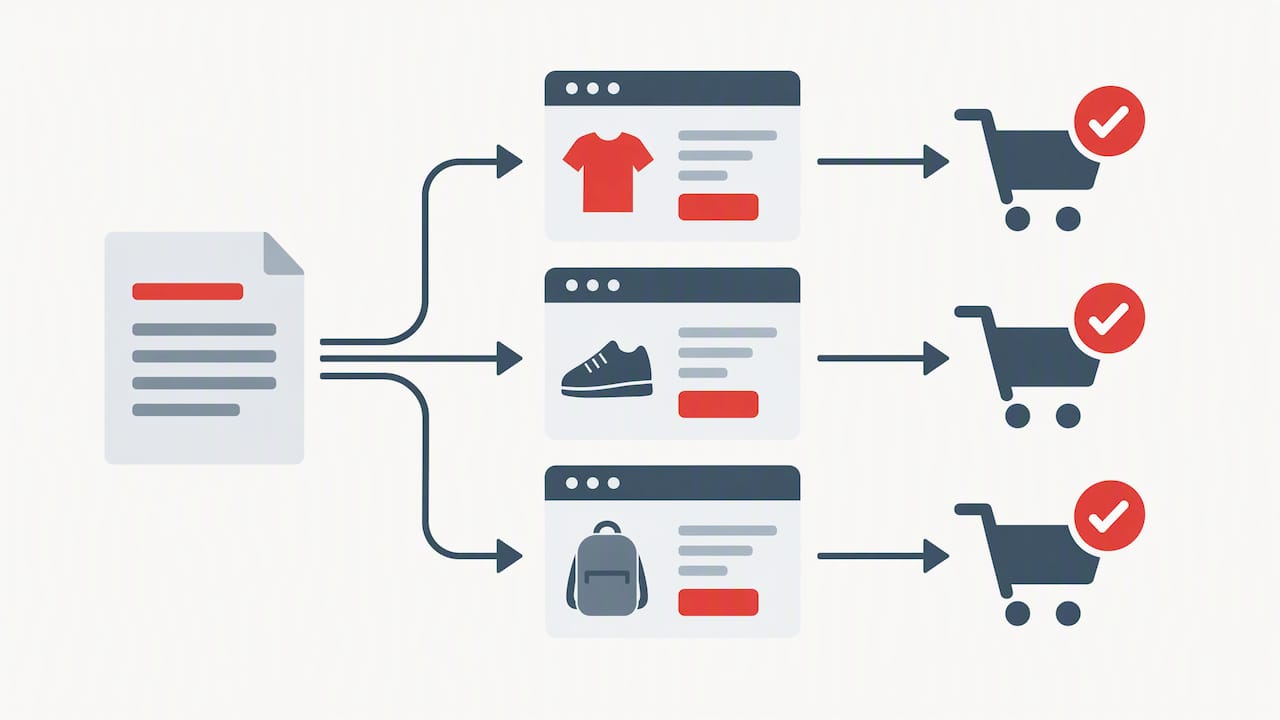
A solid handoff bundle contains the components, an asset manifest, a route map, and API stubs for anything dynamic. Claude Design hands off to Claude Code in a single instruction, so the bundle becomes your build spec.
From there, wire Claude Code into the tools you already use.
- GitHub, so each feature arrives as a reviewable pull request.
- VS Code or the terminal for in-context edits.
- CI hooks that run your tests on every branch.
- The Claude API guides and SDKs if you want custom automations.
The quality move is a generator and evaluator loop. A planner outlines what you want. A generator writes the code. An evaluator runs tests and grades each sprint against clear criteria. For a store, that means Playwright-style flows. Load a product page, pick a variant, add to cart, start checkout, and confirm the shipping note appears. My product page optimization guide, my trust badges guide, and my conversion tracking guide all cover what to put on the pages Claude is building.
Mentor Tip. I have my students write a short sprint contract with Claude before any multi-file edit. One short paragraph that defines exactly what “done” has to look like. It takes 5 minutes and saves hours of rework.
Starter prompts you can paste into Claude today
These stubs will get you to a working prototype faster. Swap in your own details.
- Product landing. “Using this product CSV row, return a responsive React component skeleton with hero, benefits, variant picker, shipping note, and add-to-cart. Follow the component library artifact.”
- Minimal product page. “Build a page with title, price, image gallery, variants, delivery estimate from supplier lead time, add-to-cart behavior, and an analytics event hook.”
- Handoff. “Take this design bundle, create a git branch, and generate the components and routes listed in the manifest.”
- Polish. “Refactor the page for accessibility and SEO, then list every change you made.”
Once the page works, check it against my launch checklist, my store design guide, my one-product store guide, and my successful dropshipping store examples.
How to make shipping promises Claude writes legally safe
Claude will write any shipping copy you tell it to, which is exactly the problem if your supplier lead times do not match what the ad or landing page claims. The rule in the US is simple. Advertise only shipping times you have a reasonable basis for. If you state none, you have to ship within 30 days or notify the customer and offer cancellation or refund.
Build these guardrails into your Project before Claude writes a single product page.
- Upload real supplier lead times, not aspirational ones.
- Tell Claude to pull delivery estimates from the uploaded supplier data, not invent them.
- Have Claude include a visible delivery note on every product page.
- Set an acceptance criterion that reads “no page ships without a verified delivery estimate.”
My chargebacks guide and my fraud prevention guide both show how shipping-promise mismatches turn into the exact problems that cost dropshippers their stores.
How to run a quality loop that catches bugs before launch
Fast tools let you ship bad code faster than ever if you skip the quality step. The dropshippers I mentor into real revenue treat quality as a step they build into the Project itself, not a thing they do at the end.
The loop looks like this.
- Plan. Write what you want in plain words. One page type at a time.
- Generate. Let Claude Code produce the components, routes, and tests in a single branch.
- Evaluate. Ask Claude to run the tests against your acceptance criteria and report every failure.
- Fix. Have Claude patch the failures and re-run the tests until they pass.
- Review. Read the pull request yourself before you merge.
My batch task guide covers how to turn this loop into a weekly rhythm, and my ecommerce metrics guide and my profit calculator guide cover the numbers you watch after launch to confirm the pages actually convert.
Why this is how my team builds done-for-you dropship stores
In my design and mentoring work, I use this exact flow. Projects hold each student’s assets, so I never ask for the same logo twice, and a Claude-built prototype lets a student react to something real instead of a description. I keep quality steady with a harnessed process. Plan first. Generate second. Evaluate third. Skip the evaluator and you may ship bugs that could have been caught in 15 minutes.
The tool is fast. The process is what keeps your store sellable. My first-sale fast guide and my scaling strategies guide both show how this same discipline carries from launch to real revenue.
How to skip the build with my MVP PRO Dropship Design Package
If you would rather launch than learn code, my MVP PRO Dropship Design Package is priced at 2,897 dollars one-off, and my team handles the work through this exact design and build process.
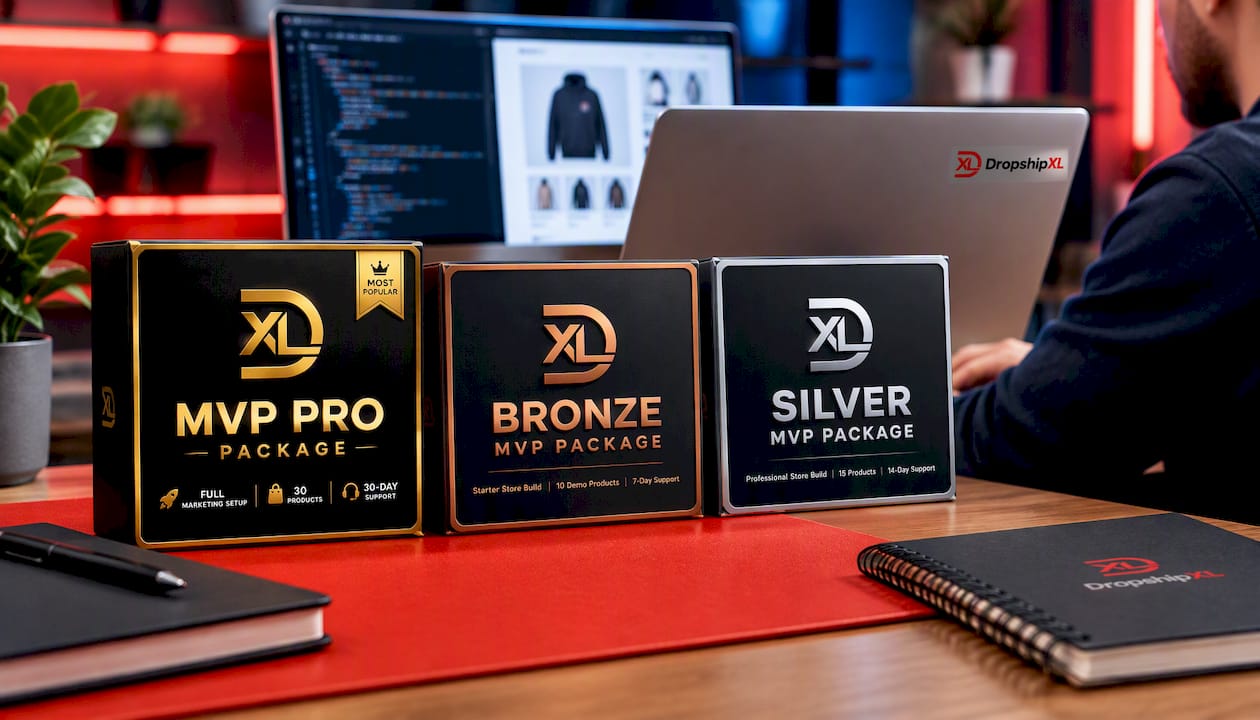
- Done-for-you store design built around your niche.
- Assets prepared, Project configured, and components ready for handoff.
- Mentoring touchpoints along the way, so you understand what shipped and why.
- A clear path from idea to launch.
Want ongoing coaching too? My DropshipXL Academy Membership is 997 dollars per year, and my DFY Focus 1 and Mentoring package starts at 697 dollars for a single high-converting page with direct guidance. If you would rather talk it through first, book a free 30-minute dropship mentoring call and we can map the right path together.
FAQ
Can I use Claude Code for the design work too
Claude Code is built for writing and editing code, so design starts in Claude Design. You then pass the design to Claude Code, which turns the handoff bundle into working components.
How do I take a Claude design all the way to code
Export a handoff bundle from Claude Design, then give it to Claude Code with build instructions. Include your framework, routes, and acceptance criteria so the first pass is close to done.
Do I need coding experience to build a dropship store with Claude
Not to get a prototype. Claude Design and Artifacts work from plain-language prompts, though reviewing pull requests and tests helps. My AI design and code workflow guide shows how beginners turn these tools into a repeatable process.
What do I need to know about shipping promises before I launch
Advertise only shipping times you have a reasonable basis for. If you state none, you have to ship within 30 days or notify the customer of the delay and offer cancellation or refund. Upload your real supplier lead times into your Project so Claude writes accurate delivery copy from the start.

Here are 4 other ways I can help you when you're ready: